
 QLVolume
Frequently asked questions
Quick answers to common questions. Can't find yours? Ask us directly.
Product overview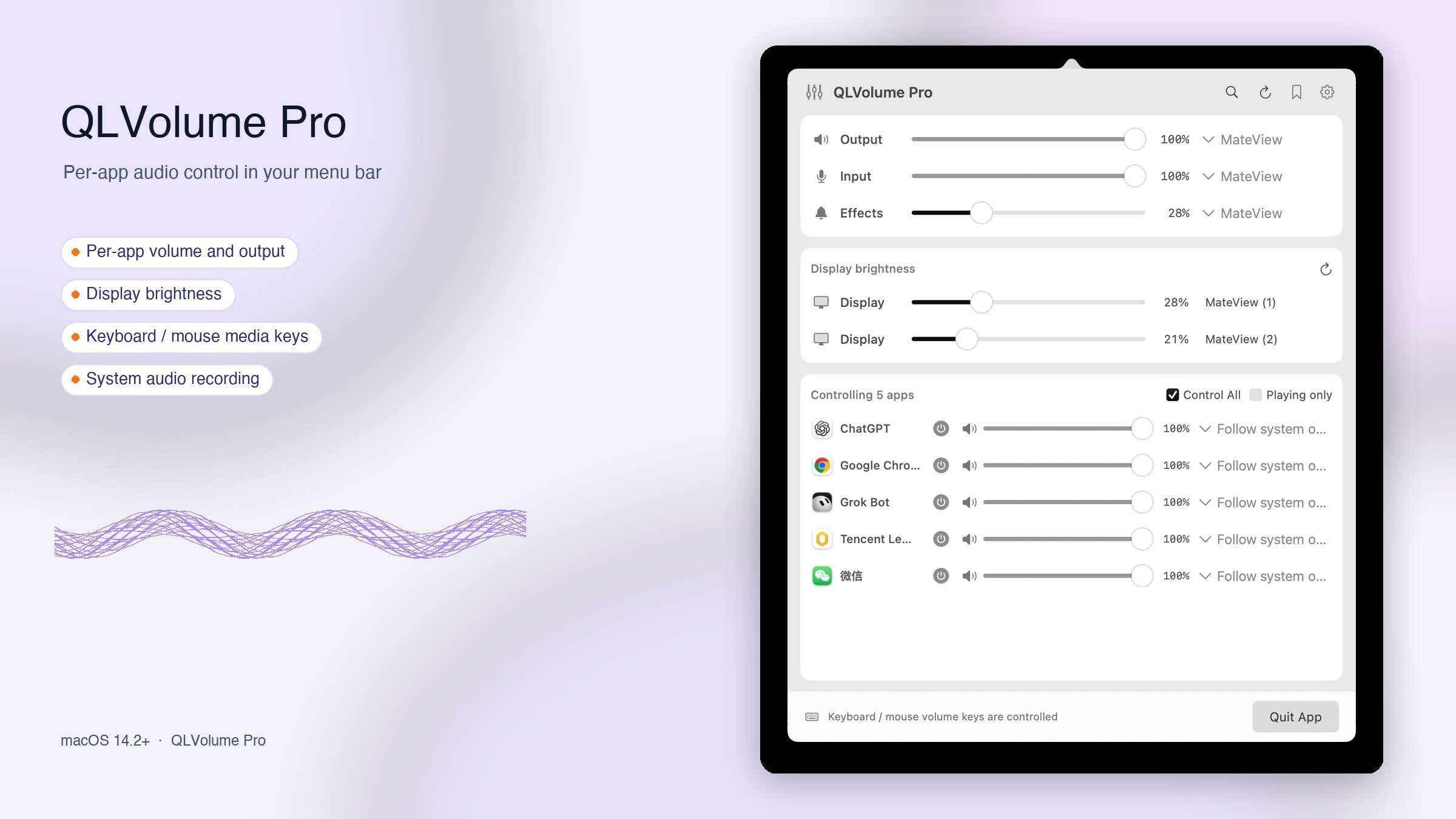
Using QLVolume
How do the Store and Pro editions differ?
The free Store edition includes app volume, mute, output selection, scenes and ordinary custom shortcuts, with no website account. Pro adds system media-key control, brightness on supported displays and virtual-input mixing. The Store edition is being prepared for release.
Which Macs are supported?
macOS 14.2 or later is required. Apple Silicon and Intel are supported. Pro website activation also requires a Mac with Secure Enclave. Hardware determines availability of some volume and brightness controls.
How do I adjust an app volume?
Play audio in the target app, then click the QLVolume sliders icon in the menu bar. Enable control for the app, then adjust its volume or output device. Allow the requested system audio permission; permission and diagnostic controls are in More Settings.
Can the Store edition intercept system volume media keys?
The Store edition leaves standard volume media keys to macOS. You can configure ordinary volume shortcuts and map mouse actions to them using compatible mouse software. Pro supports system media-key control.
How can another app record Mac audio?
This is a Pro feature. Enable system-audio mixing and choose QLVolume Input as the microphone or input in the target app. Your physical microphone can be mixed in too. Turn mixing off and return to the physical microphone or Follow System when Mac audio is not needed. QLVolume does not save recordings.
Does opening the panel keep the microphone on?
No. Opening the panel does not start physical microphone capture. Pro uses the microphone when you enable a capture feature such as mixed input. macOS shows privacy indicators for actual capture; the app cannot hide them.
Why does Bluetooth audio change when recording?
Some Bluetooth headsets switch to a call profile when their microphone is used, changing sound quality and sample rate. Consider another physical microphone in your recording app. If playback fails, first stop other audio interception tools and check the output device and audio diagnostics.
How does the Pro trial work?
Pro currently offers one 30-day trial per account for one Mac, starting when the claim succeeds and governed by backend configuration. Paid sales are not open. The free Store edition does not need a Pro trial.
Is my audio saved or uploaded?
QLVolume processes audio locally in memory and does not save or upload it. When Pro sends virtual input to another app, that app controls recording and uploads. See the privacy policy.
How do I contact support?
Email h1393505@gmail.com with your edition, app version, macOS version, device names and steps to reproduce the issue. Do not send passwords or license keys.
No matching questions. Try another keyword or ask us below.
Still need help?
Sign in to send a question, bug report or feature request. We reply in Membership → Issue feedback.